
Sit-Stand Desks: A Commercial Buying Guide
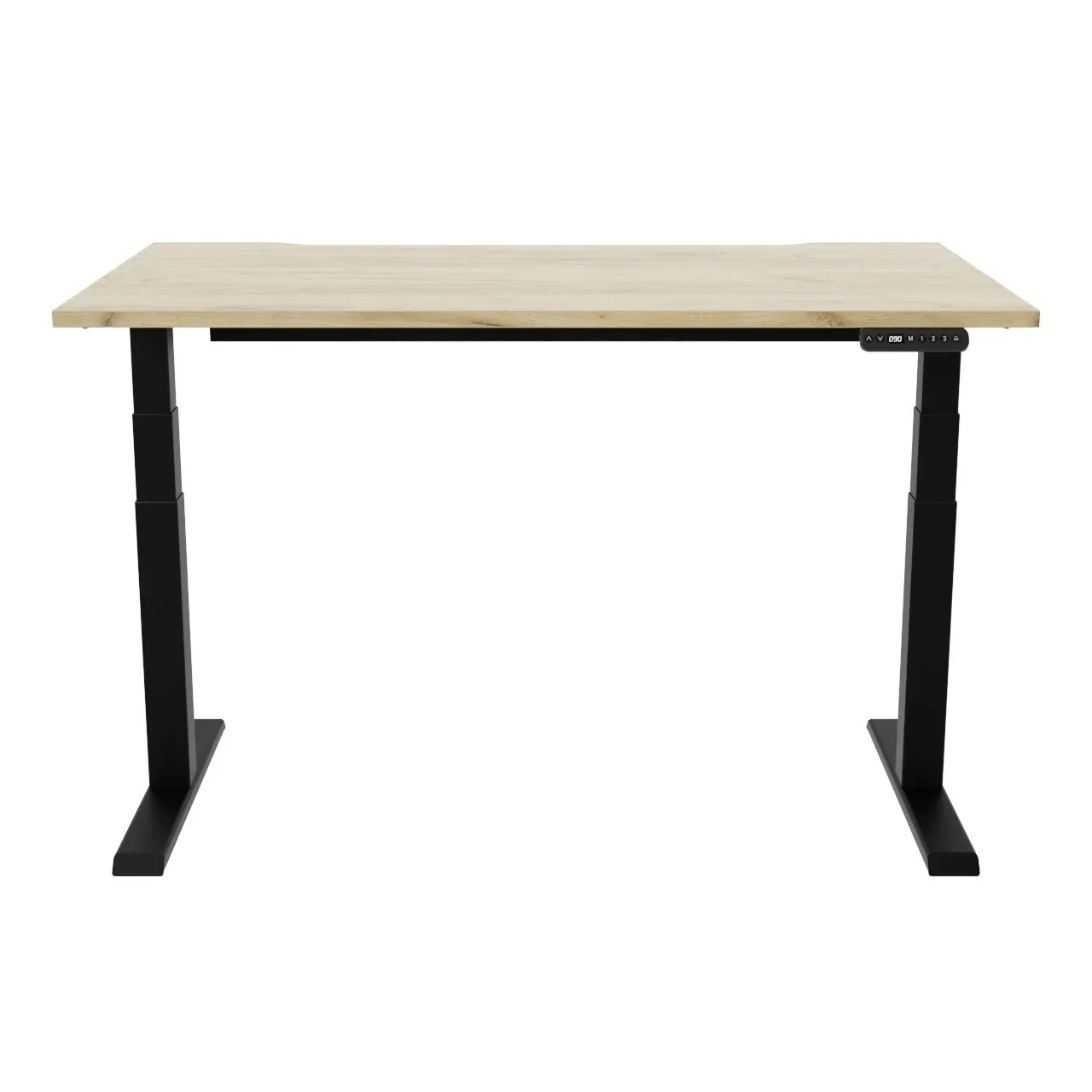
Sit-stand desks have moved from a wellbeing nice-to-have to a standard expectation in most fit-outs. But the gap between a good commercial height-adjustable desk and a cheap one is wide, and it only shows up after a few hundred up-and-down cycles a day. This guide walks through what actually matters when you are specifying sit-stand desks for an office or co-working space — the mechanics, the layout options, and the procurement details that catch people out.
Why sit-stand, and where it earns its place
The case for height adjustment is straightforward: letting people alternate between sitting and standing through the day supports comfort, circulation and focus, and it suits the way agile teams work now. A few practical reasons it has become the default:
- Wellbeing and posture — reducing long, unbroken periods of sitting is good ergonomic practice, and people genuinely use the function when the desk is quick and quiet to adjust.
- Inclusive by design — one desk fits a 1.5-metre person and a 2-metre person, which removes a lot of friction around hot-desking and accessibility.
- Agile and shared working — in hot-desk or neighbourhood layouts, adjustability lets the same workstation serve very different users shift to shift.
That said, not every desk in the building needs to move. Quiet zones, touchdown benches, training rooms and project tables are often better served by a well-made fixed-height desk. A sensible spec usually mixes the two: height-adjustable where people sit for hours, fixed where they don't.
What to look for in the mechanism
This is where quality lives or dies. The frame and motor do the work thousands of times, so judge a sit-stand desk on its engineering before its looks.
- Motor count and quality — dual-motor frames (one per leg) raise and lower more smoothly and evenly than single-motor designs, and they cope better with uneven loads. For most office desks, dual-motor is the sensible baseline.
- Stability and wobble — at full standing height a weak frame sways when you type. Look for a stiff column design, a wide foot, and minimal lateral movement when extended. Always test at the tallest setting, not seated.
- Load rating — check the rated capacity including the desktop, not just the payload. Dual monitors, a docking station, a laptop riser and personal clutter add up faster than people expect.
- Noise — a desk that announces every adjustment trains people not to use it. Quieter motors matter more in an open-plan office than the spec sheet suggests.
- Travel range — a wide range (roughly seated-low to comfortable-standing for a tall user) is what makes the desk genuinely inclusive.
- Anti-collision — a sensor that stops and reverses the desk when it meets a pedestal, a windowsill or someone's knee. Essential in dense layouts and near fixed furniture.
- Frame width adjustability — telescopic frames that accept a range of desktop widths give you flexibility now and when you reconfigure later.
Controllers, presets and day-to-day use
The control handset is the part people actually touch, and small differences change whether the standing function gets used.
- Memory presets — programmable buttons that return the desk to a saved sitting and standing height in one press. The single biggest driver of real-world standing use; without presets, people stop bothering.
- Controller type — a simple up/down rocker is fine for single-user desks. Presets and a clear display suit shared and personal desks where users vary.
- Hot-desk hygiene — in shared environments, a controller that lets a user recall their own preferred height quickly is worth specifying.
Our commercial sit-stand desk, R!se, is built around this thinking — a stable dual-motor frame with anti-collision and memory presets, intended to be lived with all day rather than admired in a showroom.
Single desks, back-to-back and benches
How the desks join together drives both cost and how easily you can reconfigure later.
- Single desks — standalone workstations. Simplest to move and to assign, ideal for cellular offices, directors' rooms and odd corners.
- Back-to-back pairs — two desks sharing a spine, the classic open-plan arrangement. Halves the floor footprint per person and centralises cable routing.
- Benches and runs — multiple desks linked along a continuous run. The most space-efficient layout for dense floors, though each position still needs to adjust independently if it is true sit-stand.
- Link kits — for benching, check that the manufacturer offers proper linking hardware and shared cable trays rather than improvised joints. Good link kits keep a long run tidy, rigid and serviceable.
For positions that don't need to move — touchdown points, training benches, project tables — a fixed-height modular system like Recon clips together quickly and reconfigures without tools, which is often the better call for breakout and short-stay areas.
Cable management, power and finishes
The difference between a tidy floor and a trip hazard is almost entirely in the details below the desktop.
- Cable management — a moving desktop means cables travel up and down too. Look for a cable spine, chain or sock that takes up the slack as the desk rises, plus a tray to hold a power brick and excess lead.
- Power and data — decide early whether power comes from the floor box, a desktop module, or an under-desk track. Get this agreed with your fit-out or M&E contractor before desks are ordered, not after.
- Desktop finishes — laminate is hard-wearing and cost-effective for volume; veneer and solid surfaces suit reception and exec spaces. Consider edge detail, anti-glare and how the colour reads against your brand and lighting.
- Bespoke sizes and finishes — standard desktops rarely fit a non-standard floorplate, a column, or a specific brand colour. When that's the case, bespoke sizes and finishes let the desks suit the room exactly rather than forcing the room to suit the desks.
Procurement: lead time, warranty and UK manufacture
Once the spec is right, the buying decisions are about risk and timing.
- Lead time — plan backwards from your move-in or occupation date. Commercial volumes typically take a few weeks from sign-off, and longer if finishes are bespoke; confirm dates in writing before you commit.
- Warranty — sit-stand frames are mechanical, so the frame and motor warranty matters more than the desktop's. Ask what's covered, for how long, and how spares and replacement handsets are handled.
- UK manufacture and support — desks made and supported through a UK network mean shorter shipping, easier reordering of matching units later, and someone reachable when a motor needs attention.
- Future flexibility — favour systems that let you add, link or resize desks down the line. Offices reconfigure constantly, and adjustable-width frames plus available link kits save a full re-buy.
- Delivery and installation — confirm who delivers, installs, levels and tests the desks, and who clears the packaging and any old furniture. Getting this in the quote avoids awkward gaps on handover day.
A good supplier will also tell you honestly where fixed-height desks would serve you better than sit-stand — mixing the two usually gives a better-value, better-fitting result than specifying adjustable everywhere.
Frequently asked questions
You rarely need height adjustment on every desk. The usual approach is sit-stand for primary, long-stay workstations where people sit for hours, and well-made fixed-height desks for touchdown points, training rooms, breakout and project tables. Auditing how each area is really used — long focus work versus short stays — gives you a more cost-effective and better-fitting mix than blanket adjustability.
For most commercial offices, yes. A dual-motor frame raises and lowers more smoothly, handles uneven loads better, and tends to feel more stable at full height than a single-motor design. The difference shows up over thousands of adjustment cycles. Single-motor can be fine for light, occasional-use desks, but for daily all-day use the dual-motor baseline is the safer specification.
Check the rated capacity including the desktop itself, not just the payload, and then add up everything that lives on the desk: dual monitors, an arm, a docking station, a laptop, a riser and personal items. These add up quickly. Specifying with headroom above your realistic worst-case load means the motors aren't working at their limit, which protects both performance and lifespan.
Yes. Adjustable-width frames accept a range of desktop sizes, and where a floorplate, a column or a brand colour demands something specific, the desktop can be made to measure. If the room is genuinely non-standard, it's worth discussing bespoke sizes and finishes rather than forcing a stock size into a space it doesn't suit.
It depends on volume and finish, but commercial quantities typically take a few weeks from design sign-off, with bespoke finishes adding time. The practical advice is to plan backwards from your occupation date and confirm delivery and installation dates in writing before ordering. UK manufacture generally shortens shipping and makes it easier to reorder matching desks later.
When the position doesn't need to move. Training benches, touchdown desks, short-stay co-working seats, breakout and project tables are often better served by a robust fixed-height system such as Recon, which is quicker to reconfigure and more cost-effective than adjustable frames. Reserve sit-stand for the desks where people genuinely sit for long stretches.